Contract Placements

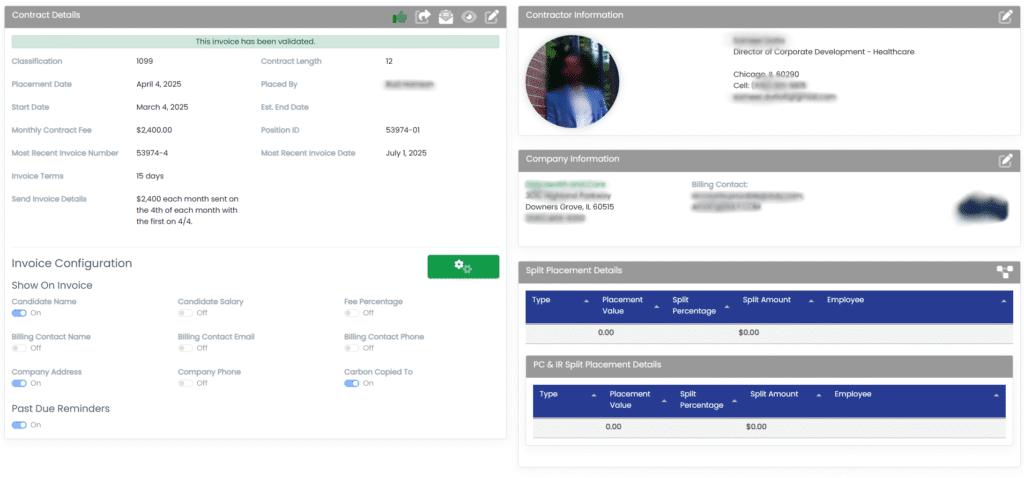
The Contract Placements feature has a very similar look and fee to the main Placements Module, however, everything is tailored toward contract staffing. For example, the Invoice Details section is replaced with Contract Details and the wording throughout is based on Contract placements.
Add Billing to a Contract
To add billing to a contract placement, go to the original placement and scroll down to the Billing Records section, as shown in the figure below. Click on the Add Billing button.

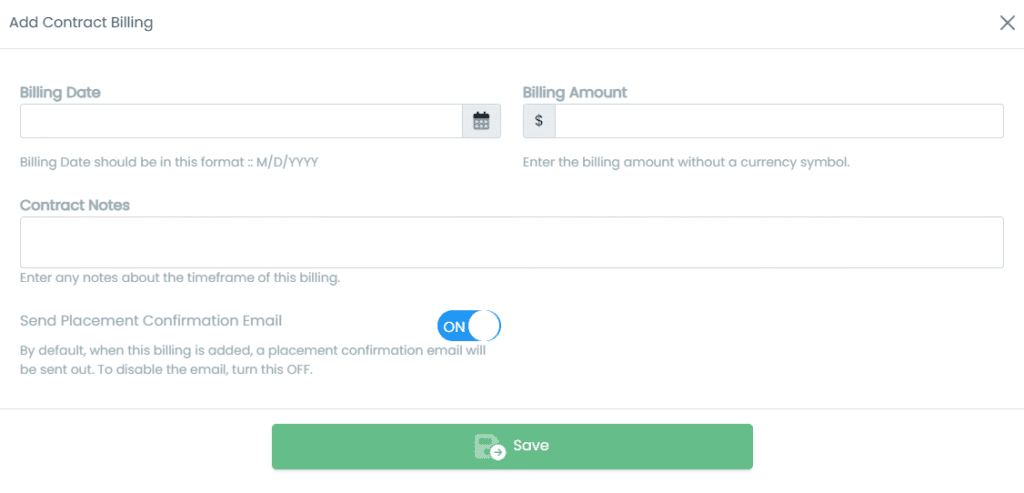
The Add Billing button opens in a modal as shown below. Simply select the pertinent date and then enter the billing amount in the Billing Amount field. This amount should be the entire amount regardless of splits–HA will automatically split it out for you.
The Contract Notes field is what will be displayed on the invoice. For example, “August 2025 contract”. In addition, you can choose whether or not to send a placement confirmation email when the billing is added. The default is ON.
When finished, click Save to save the records to the contract placement.