
Reinstating Candidates on the Hot Sheet Report
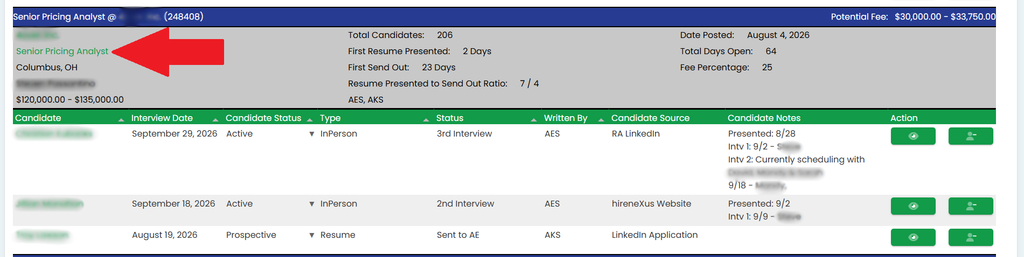
This article will outline what to do when you need to put a candidate back into the process that has been previously removed from the hot sheet report. To begin, click on the relevant job title, as pointed out in the figure below.
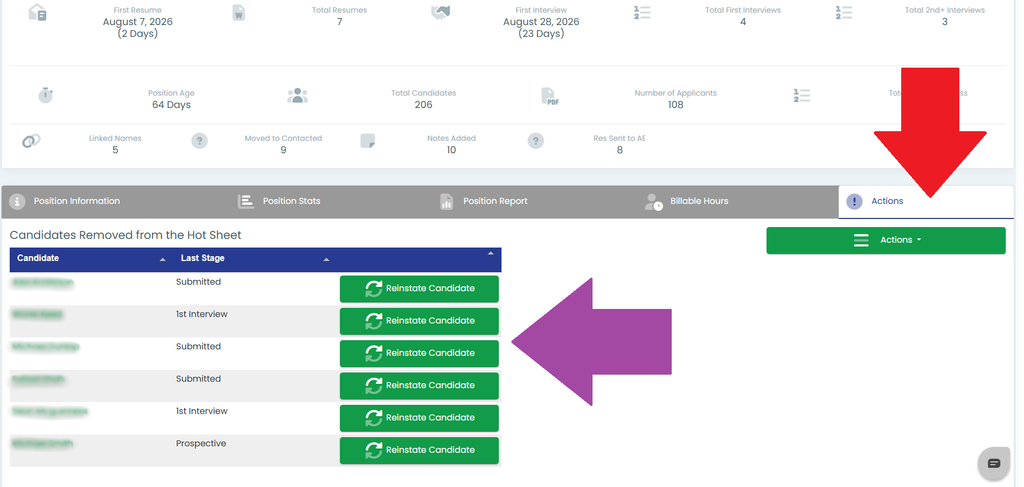
On the position screen, click on the Actions tab as pointed out in red in the figure below. If there are candidates that have been removed from the process, you will see them in a list on this tab, as shown in the figure. Click the Reinstate Candidate button next to the candidate(s) that need to be put back into the report.
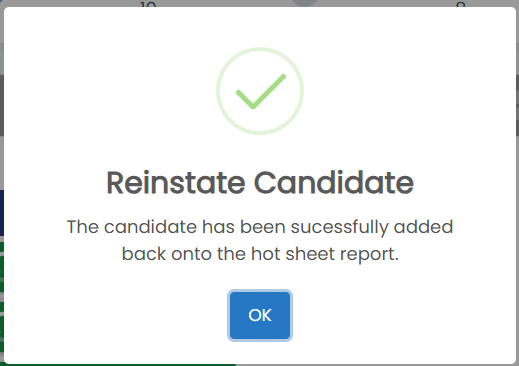
Once you click that button you will see the Reinstate Candidate prompt as shown in the figure to the right. The candidate will now be reinstated to the hot sheet report.